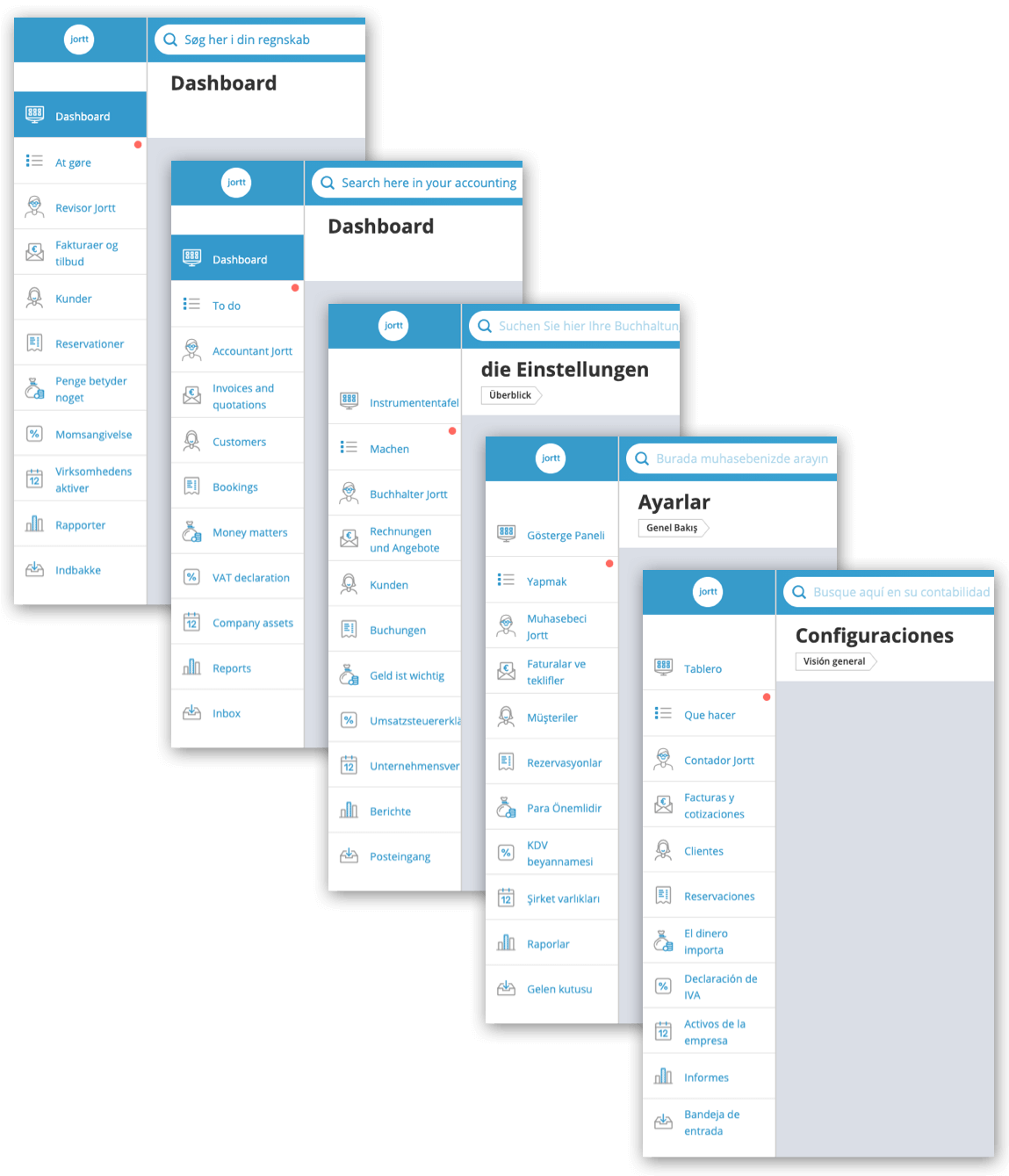
Jortt in het Engels (of andere taal)
Jortt wordt in het Nederlands of Engels weergegeven. Bij Voorkeuren voor jouw naam geef je aan in welke taal je jortt wil gebruiken. Wil je jortt in een andere taal dan Nederlands of Engels gebruiken, dan regel je dat via Google Chrome.
Jortt is displayed in Dutch or English. Under Preferences for your name, you can choose between Dutch and English. If you want to use jortt in a language other than Dutch or English, you can set this up via Google Chrome.
Jortt in English
Standaard is jortt in het Nederlands ingesteld. Wil je deze instelling aanpassen dan doe je dat als volgt:
By default, jortt is set to Dutch. If you want to change this setting, you can do so as follows:
- Klik op Instellingen in het menu rechtsboven. Click on Settings in the menu at the top right.
- Ga naar Instellingen voor jouw naam . Go to Settings for your name.
- Verander Nederlands in Engels. Change Dutch to English.
Jortt in another language with Google Chrome
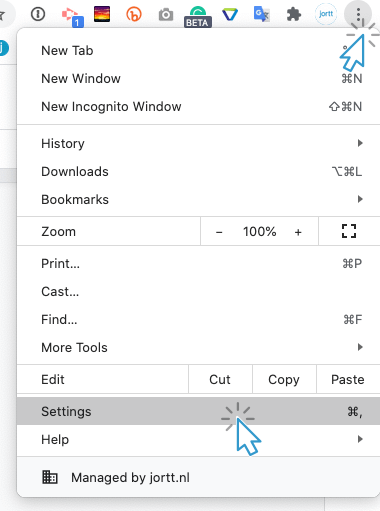
Om je jortt omgeving in een andere taal gedisplayed te hebben (moet je Google Chrome gebruiken als webbrowser) ga je eerst naar de instellingen van Google Chrome.
Jortt is displayed in Dutch and English you cannot choose other languages, but there is an easy way to solve this.
To have your jortt environment displayed in another language (you must use Google Google Chrome as your web browser), first go to the settings of Google Chrome.
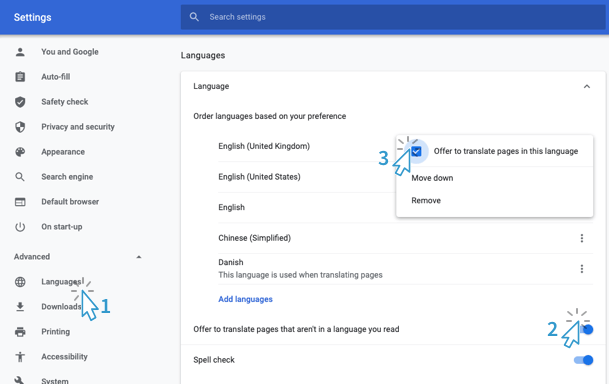
Vervolgens bij Geavanceerd kies je voor Talen en zet je “Aanbieden om pagina’s te vertalen …” aan mocht hij nog niet aan staan →
Then at Advanced choose Languages and turn on "Offer to translate pages ..." if it is not already on →
Wanneer je weer gaat inloggen op je jortt account, zie je aan het einde van je browserbalk, de Google translate logo.
When you log in to your jortt account again, you will see the Google translate logo at the end of your browser bar.
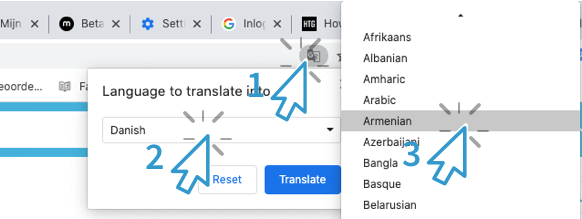
Vervolgens wordt je jortt omgeving weergegeven in de gewenste taalkeuze.
Your jortt environment will then be displayed in the desired language choice.